tiki - markdown project management
4 min read March 31, 2026 #tuiAlmost 8 months ago, I switched from Kanboard to self-hosted Gitea for managing my personal projects. It's not perfect, has limitations, unusable on mobile, but it fits my needs, so I keep using it.
But recently, I found a cool project called tiki. It's a markdown-based git-versioned documentation and issue management tool. All tasks live in your project directory. Here's why I think you'd love it if you're a fan of terminal user interfaces:
Let's start by creating a new repository and initializing tiki:
mkdir tiki-demo
cd tiki-demo
tiki init
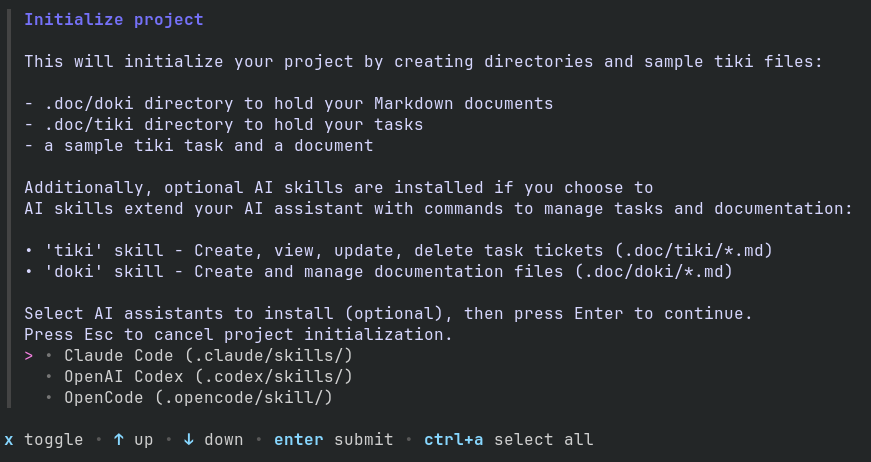
First, you're prompted to select which AI assistant skills to install:
Then you'll see a Kanban page with a predefined example:
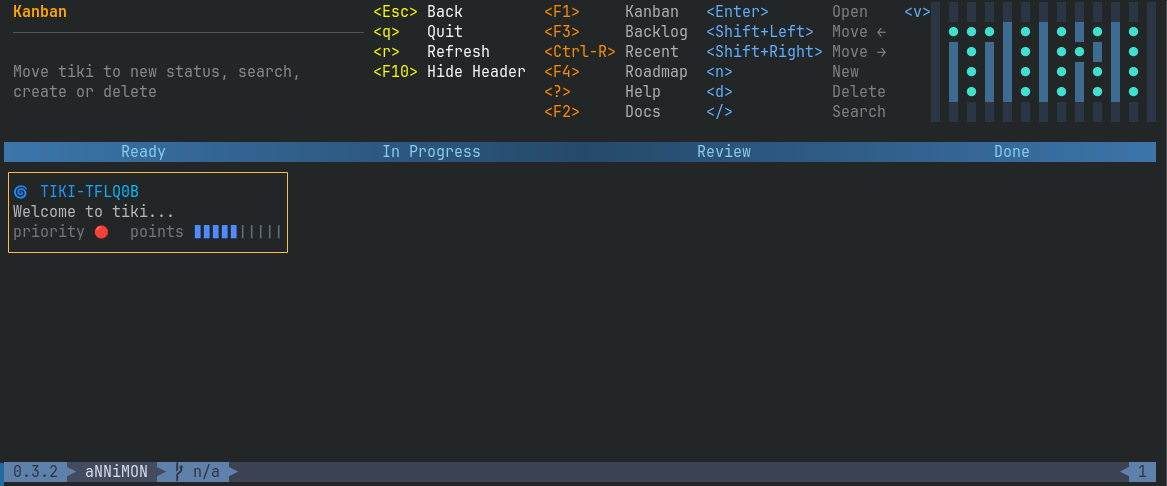
Everything is pretty self-explanatory. I recommend playing around with this board, switching between pages (F3, F4), reading the docs (F2) and only then jumping to configuration.
Views as plugins#
Tiki is highly customisable. You can extend it with custom statuses and pages using the workflow.yaml config.
For example, the Kanban page is defined as follows in ~/.config/tiki/workflow.yaml:
views:
  - name: Kanban
    description: "Move tiki to new status, search, create or delete"
    default: true
    foreground: "#87ceeb"
    background: "#25496a"
    key: "F1"
    lanes:
      - name: Ready
        filter: status = 'ready' and type != 'epic'
        action: status = 'ready'
      - name: In Progress
        filter: status = 'in_progress' and type != 'epic'
        action: status = 'in_progress'
      - name: Review
        filter: status = 'review' and type != 'epic'
        action: status = 'review'
      - name: Done
        filter: status = 'done' and type != 'epic'
        action: status = 'done'
    sort: Priority, CreatedAt
In addition to names, tab colors, sorting and key binding, it has 4 lanes with filters (which tasks to see in the lane) and actions (what action to perform when a task is moved to the lane).
You can also add actions to the view to apply an action globally, regardless of which column the task is in. Let's add an action to move a task back to the Backlog if it was mistakenly added to Ready. You can, of course, edit the task manually, but the action does this with one click:
views:
  - name: Kanban
    default: true
    foreground: "#87ceeb"
    background: "#25496a"
    key: "F1"
    actions:
      - action: status = 'backlog'
        key: "b"
        label: To Backlog
    lanes:
      - name: Ready
        filter: status = 'ready' and type != 'epic'
        action: status = 'ready'
      - name: In Progress
        filter: status = 'in_progress' and type != 'epic'
        action: status = 'in_progress'
      - name: Review
        filter: status = 'review' and type != 'epic'
        action: status = 'review'
      - name: Done
        filter: status = 'done' and type != 'epic'
        action: status = 'done'
    sort: Priority, CreatedAt
After restarting tiki you'll see a shortcut in the header: <b> To Backlog
Custom statuses#
By default tiki creates the following statuses: Backlog, Ready, In Progress, Review and Done.
For my project I'd like to have two additional statuses:
- Blocked, to indicate that the task is waiting for another task to finish
- Rejected, this is important for documenting why a certain task was discarded from development
In the same config ~/.config/tiki/workflow.yaml let's extend statuses:
statuses:
  - key: backlog
    label: Backlog
    emoji: "📥"
    default: true
  - key: ready
    label: Ready
    emoji: "📋"
    active: true
  - key: in_progress
    label: "In Progress"
    emoji: "⚙️"
    active: true
  - key: review
    label: Review
    emoji: "👀"
    active: true
  - key: blocked
    label: Blocked
    emoji: "🔒"
    active: false
  - key: rejected
    label: Rejected
    emoji: "❌"
  - key: done
    label: Done
    emoji: "✅"
    done: true
We also need a view for these statuses, because currently no filter is configured to display them except the Recent view.
  - name: Rejected
    background: '#3d0b1e'
    foreground: '#ff5f87'
    key: "F7"
    lanes:
      - name: Blocked
        columns: 2
        filter: status = 'blocked' AND type != 'epic'
      - name: Rejected
        columns: 2
        filter: status = 'rejected' AND type != 'epic'
This adds a new Rejected view which displays Blocked and Rejected tasks in two separate columns:

Tags#
tiki supports tags (Shift+T in the editor) and filtering by them in views.
Dependencies#
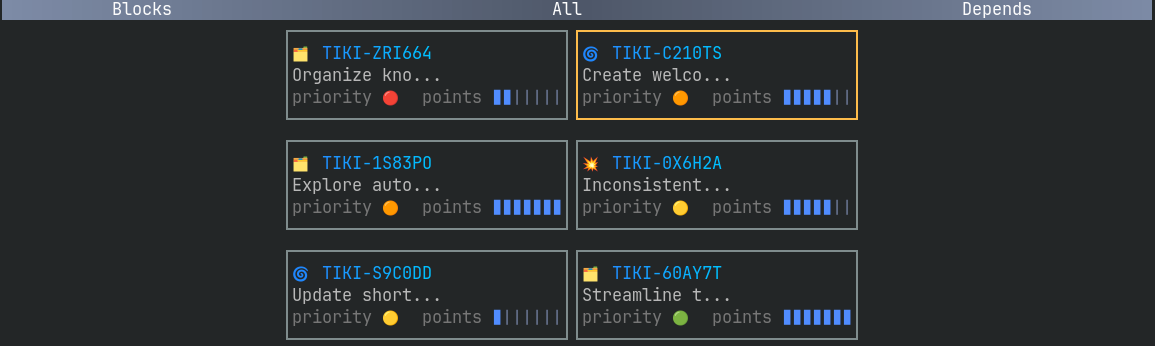
In recent versions a new Dependencies editor (Ctrl+D) was added. This makes it easy to set what task blocks the current one you're editing.
Documentation#
tiki provides not only an issue management tool, but also a documentation viewer, called doki. You've seen it when accessing the Docs view in tiki's default project.
doki is powerful enough to display markdown formatting, tables, images and Mermaid diagrams. To display images correctly, your terminal needs to support the Kitty graphics protocol.
  - name: Docs
    description: "project docs"
    type: doki
    fetcher: file
    url: "../../docs/docs-main.md"
    foreground: "#ff9966"
    background: "#2b3a42"
key: "F9"Instant tiki creation#
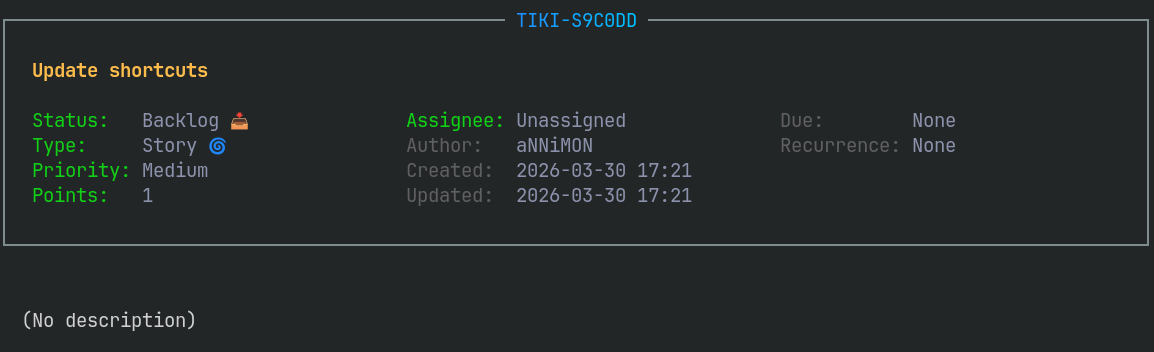
You can run TUI and press n to open a new tiki editor. However, one of the coolest features is piping text from CLI to tiki:
echo "Update shortcuts" | tiki
My setup#
I use tiki for my Rust project in a separate tasks branch. While the main branch is connected to GitHub, the tasks branch is connected to my Gitea instance. This allows me to update tasks more frequently and independently. New ideas usually come to me when I'm away from my PC, and since everything is a markdown file, it's also easy to add or edit tasks from a mobile browser.
Views:
- F1 - Kanban
- F2 - Backlog
- F3 - Roadmap
- F4 - Blocked and Rejected tasks (split)
- F5 - All and Done tasks (split)
- F6 - Docs
When working on the project, I open a separate tab for tiki. Here is the demo:
Demo repository containing some of my tasks: github.com/annimon-tutorials/tiki-demo
tiki project: github.com/boolean-maybe/tiki