Geotagging is easy. Clustering
10 min read January 18, 2025 #openlayers #javascript #mapsIf there are a lot of photos, displaying them all at once on the map is not the right choice for UX and performance. So let's group the photos and display their count.
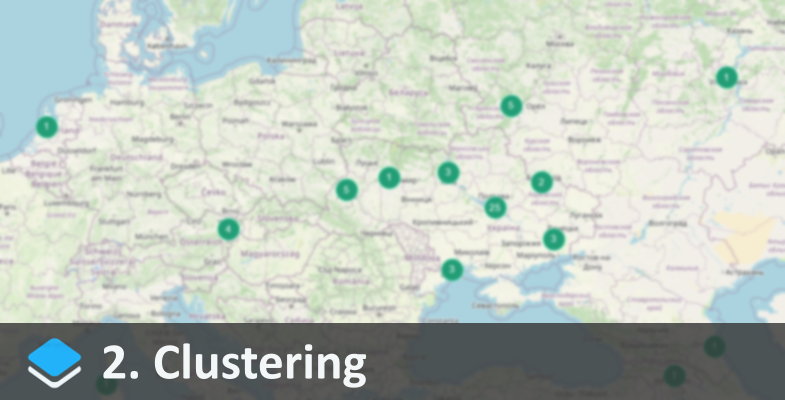
For grouping OpenLayers has a cluster (ol.source.Cluster). It works with points (ol.geom.Point) out of the box, so it won't be difficult to add it for our task. Set the distance and where to get the points from (photosSource), and rename layerThumbs to layerClusters:
const clusterSource = new ol.source.Cluster
30
10
photosSource
const layerClusters = new ol.layer.Vector
clusterSource
clusterStyle
true
true
const map = new ol.Map
// ..
layerOSM layerClusters
// ..
function clusterStyle(feature, resolution) {
const features = feature.get'features'
const size = features.length;
const key = `cl-size`;
if!cachekey
cachekey = new ol.style.Style
zIndex: 110,
image: new ol.style.Circle
radius: 12,
stroke: new ol.style.Stroke '#8AFFD9',
fill: new ol.style.Fill '#229D75'
,
text: new ol.style.Text
text: `size`,
fill: new ol.style.Fill '#fff'
,
}
return cachekey
}clusterStyle is similar to photoStyle, except it draws not an icon, but a circle with a fill and a stroke, and text on top of it.
Since there are no individual photos on the map now and only these circles can be selected, we'll have to rewrite the selection function:
map.on'click', event => {
layerClusters.getFeaturesevent.pixel.thenclickedFeatures => {
if!clickedFeatures.length return;
const features = clickedFeatures0.get'features'
const details = features.mapf => photoDetailsf
document.getElementById'photo-details'.innerHTML = details.join
When clicking on the map, we collect an array of objects within the selection and display their details.
We can also show individual photos if there is only one object in the cluster:
function clusterStyle(feature, resolution) {
const features = feature.get'features'
const size = features.length;
ifsize === 1 return thumbStylefeatures0, resolution
// ..The selection logic can be enhanced by adding smooth zooming on a cluster click:
map.on'click', event => {
layerClusters.getFeaturesevent.pixel.thenclickedFeatures => {
if!clickedFeatures.length return;
const features = clickedFeatures0.get'features'
iffeatures.length > 1 && !isMaximumZoommap.getView
// Zoom in
const extent = ol.extent.boundingExtent
features.mapr => r.getGeometry.getCoordinates
map.getView.fitextent, {duration: 400150 150 150 150
} else {
// Show photo details
const details = features.mapf => photoDetailsf
document.getElementById'photo-details'.innerHTML = details.join
}
function isMaximumZoom(view) {
const maxZoom = view.getMaxZoom
const currentZoom = view.getZoom
return currentZoom >= maxZoom;
}If a circle with 2+ elements is selected and there is still room to enlarge the map, we iterate through the selected coordinates and form a virtual extent area from them:
const extent = ol.extent.boundingExtent
features.mapr => r.getGeometry.getCoordinates
Then zoom in to this area within 400ms so that there're 150px padding on the edges:
map.getView.fitextent, {duration: 400150 150 150 150Demo: